Python Variables and Data Types Explained
Target Keywords: python variables, data types in python, python data types, variable assignment
Difficulty: Beginner | Reading Time: ~15 minutes
Introduction
If you are just starting your programming journey, one of the very first things you need to understand is how Python stores and manages information. That is exactly what python variables and data types in python are all about.
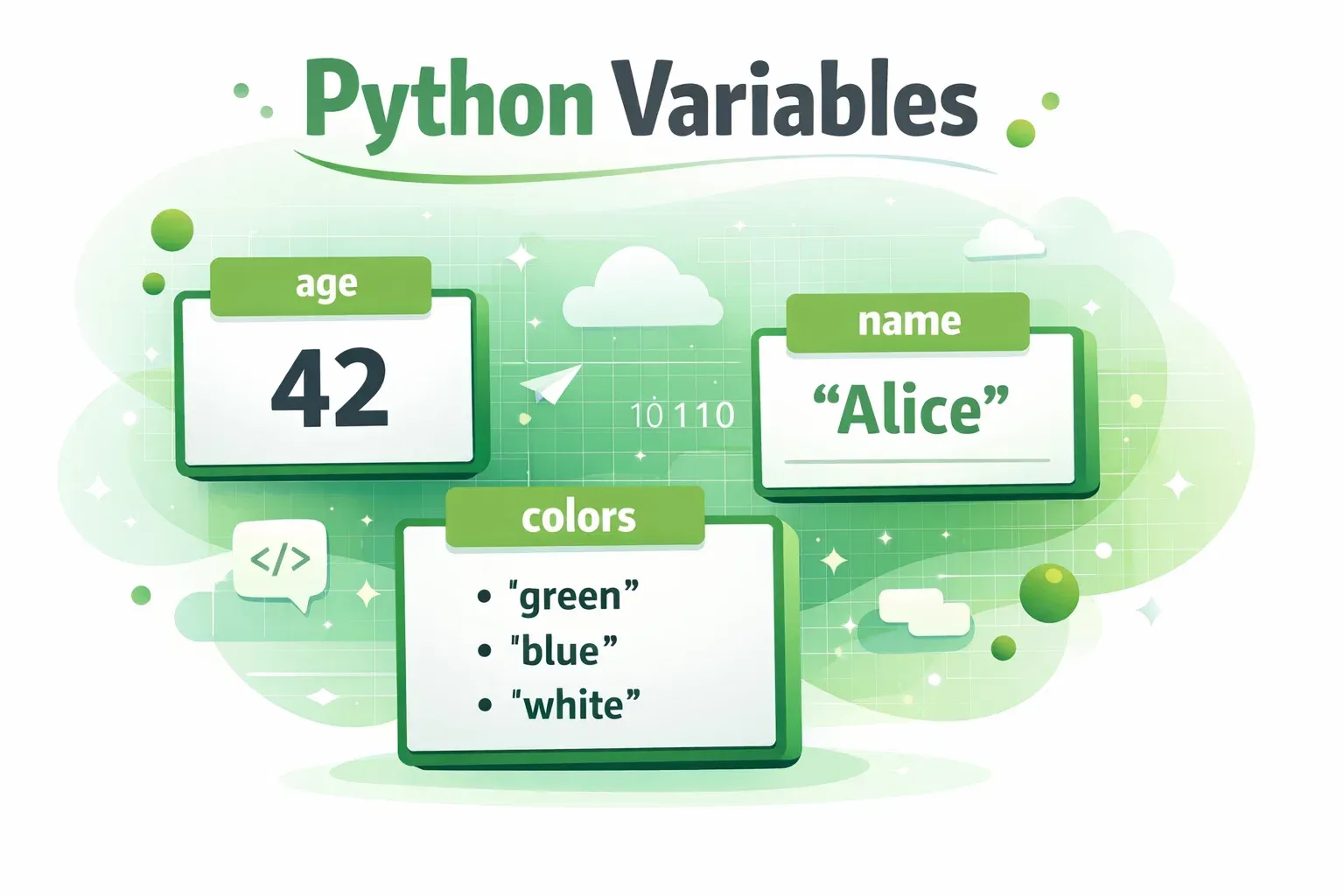
Think of a variable like a labelled box. You write a name on the outside (the variable name), and you put something inside it (the value). Python then remembers that value for you so you can use it later in your program. Whether you are building a student grade calculator for your university in Lahore, a shop billing system for a store in Karachi, or a simple quiz app, every program you write will depend on variables and data types.
In Pakistan, coding skills are rapidly becoming one of the most in-demand job qualifications. Platforms like theiqra.edu.pk exist specifically to help Pakistani students learn programming in a clear, structured way — so you are already in the right place. By the end of this tutorial, you will confidently understand what python variables are, how variable assignment works, and which python data types to use for different kinds of information.
Prerequisites
Before diving in, make sure you are comfortable with the following:
- Python installed on your computer — Python 3.x is recommended. You can download it free from python.org.
- A basic understanding of what a program is — you should know that programs are sets of instructions a computer follows.
- A code editor — VS Code, PyCharm Community Edition, or even IDLE (which comes with Python) will work perfectly.
- No prior Python experience is required — this tutorial is written for complete beginners.
If you have not set up Python yet, check out our tutorial How to Install Python on Windows and Mac on theiqra.edu.pk before continuing.
Core Concepts & Explanation
What Is a Variable in Python?
A variable is simply a name that refers to a value stored in your computer's memory. When you create a variable in Python, you are telling the computer: "Remember this value and let me use it later by this name."
Python makes variable creation extremely simple. You do not need to declare the type of a variable beforehand — Python figures it out automatically. This is called dynamic typing, and it is one of the reasons Python is so beginner-friendly.
Here is the basic syntax for variable assignment:
variable_name = value
The equals sign (=) is the assignment operator. It does not mean "is equal to" in the mathematical sense — it means "store this value into this variable."
Let's look at a concrete example using Pakistani names:
student_name = "Ahmad"
student_age = 20
city = "Lahore"
- Line 1 stores the text
"Ahmad"in a variable calledstudent_name. - Line 2 stores the number
20in a variable calledstudent_age. - Line 3 stores the text
"Lahore"in a variable calledcity.
You can now use these variables anywhere in your program. Python will replace the variable name with the stored value whenever it encounters it.
Variable Naming Rules to Remember:
Variable names in Python must follow a few simple rules. They can contain letters, numbers, and underscores, but they cannot start with a number. They are also case-sensitive, meaning Name and name are two completely different variables. Spaces are not allowed — use underscores instead (e.g., student_name not student name). Finally, you cannot use Python's reserved keywords like if, for, while, or class as variable names.
Good variable names are descriptive. Instead of writing x = 5000, write monthly_salary = 5000. Your future self will thank you.
Understanding Python Data Types
Every value in Python has a data type. The data type tells Python what kind of information is being stored and what operations are allowed on it. You cannot, for example, add a number and a piece of text together without first converting one of them.
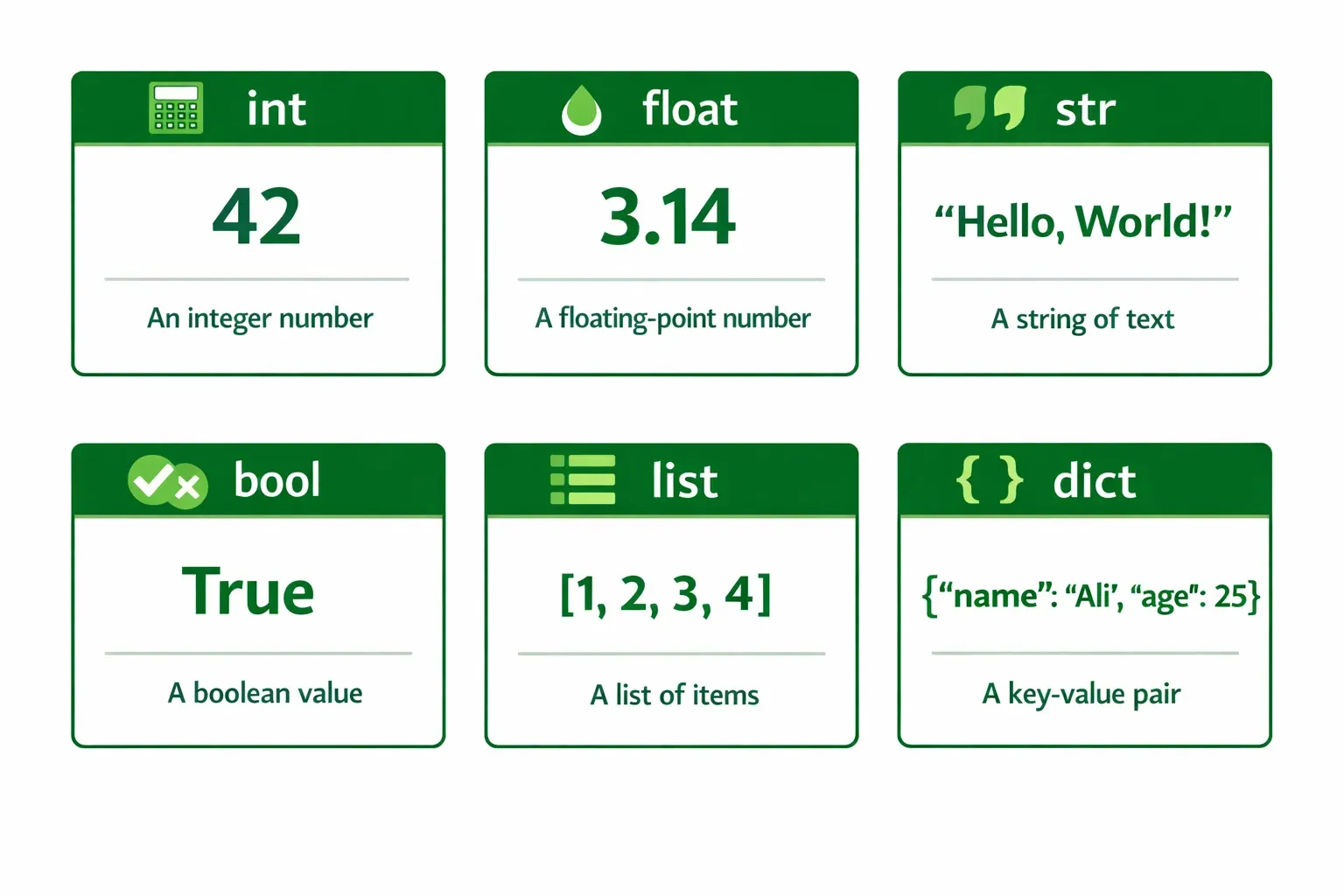
Python has several built-in data types. The most important ones for beginners are the following.
Integers (int) are whole numbers — positive, negative, or zero, with no decimal point. Examples include 5, -100, 0, and 2500.
Floats (float) are numbers with a decimal point. Examples include 3.14, 99.5, -0.001, and 1500.75.
Strings (str) are sequences of characters — essentially text. They must be enclosed in either single quotes (') or double quotes ("). Examples include "Fatima", 'Islamabad', and "Hello, World!".
Booleans (bool) represent one of two values: True or False. They are used in conditions and logic. Note that the capital letter matters — True and False must start with uppercase in Python.
Lists (list) are ordered collections of values. They can hold multiple items of different types and are written with square brackets. Example: ["Ahmad", "Fatima", "Ali"].
Dictionaries (dict) store data as key-value pairs, similar to a real dictionary where a word maps to its definition. They use curly braces. Example: {"name": "Ahmad", "city": "Karachi"}.
You can always check the data type of any value using Python's built-in type() function:
age = 22
print(type(age))   # Output: <class 'int'>

name = "Fatima"
print(type(name))  # Output: <class 'str'>

score = 87.5
print(type(score)) # Output: <class 'float'>
Practical Code Examples
Example 1: Student Profile Using Python Variables
Let's build a simple student profile program. This is a practical scenario every Pakistani student can relate to — storing your own academic information.
# Student Profile Program

# Variable assignment — storing student information
student_name = "Ali Hassan"        # String: the student's full name
student_roll_no = 2024051          # Integer: the roll number
cgpa = 3.75                        # Float: the CGPA out of 4.0
is_enrolled = True                 # Boolean: whether the student is currently enrolled
city = "Islamabad"                 # String: home city
subjects = ["Math", "Physics", "CS"]  # List: enrolled subjects

# Displaying the student profile
print("=== Student Profile ===")
print("Name:", student_name)
print("Roll Number:", student_roll_no)
print("CGPA:", cgpa)
print("Currently Enrolled:", is_enrolled)
print("City:", city)
print("Subjects:", subjects)
Line-by-line explanation:
student_name = "Ali Hassan"— Creates a string variable holding the student's name. Quotes are required for text values.student_roll_no = 2024051— Creates an integer variable for the roll number. No quotes needed for numbers.cgpa = 3.75— Creates a float variable. The decimal point tells Python this is a float, not an integer.is_enrolled = True— Creates a boolean variable. NoticeTruestarts with a capital T.subjects = ["Math", "Physics", "CS"]— Creates a list variable holding three strings. Square brackets define a list.- The
print()statements display each variable's value to the screen.
Expected Output:
=== Student Profile ===
Name: Ali Hassan
Roll Number: 2024051
CGPA: 3.75
Currently Enrolled: True
City: Islamabad
Subjects: ['Math', 'Physics', 'CS']
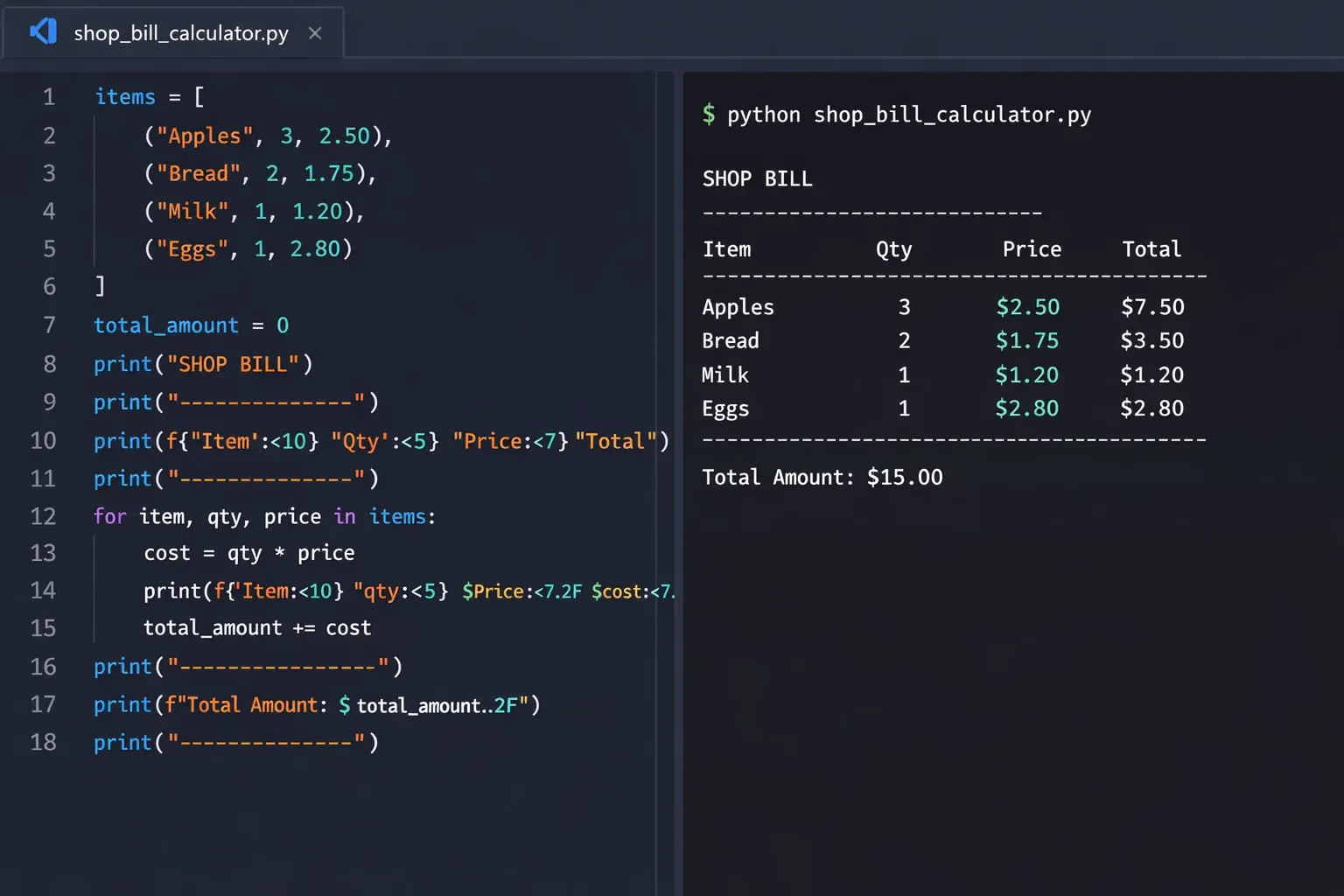
Example 2: Real-World Application — Shop Bill Calculator
Here is a more practical example: a simple shop billing system in Pakistani Rupees (PKR). Imagine Ahmad runs a small electronics shop in Karachi and wants to calculate the total bill for a customer.
# Shop Bill Calculator — Real World Example (PKR)

# Store and product details
shop_name = "Ahmad Electronics"       # String: shop name
customer_name = "Fatima Malik"        # String: customer name
city = "Karachi"                      # String: city

# Product prices in PKR
laptop_price = 95000.00               # Float: price of laptop
headphones_price = 4500.00            # Float: price of headphones
mouse_price = 1200.00                 # Float: price of mouse

# Quantities
laptop_qty = 1                        # Integer: number of laptops
headphones_qty = 2                    # Integer: number of headphones
mouse_qty = 1                         # Integer: number of mice

# Calculate subtotals
laptop_total = laptop_price * laptop_qty            # Float * Int = Float
headphones_total = headphones_price * headphones_qty
mouse_total = mouse_price * mouse_qty

# Calculate grand total
grand_total = laptop_total + headphones_total + mouse_total

# Apply 10% discount for bulk purchase
discount_rate = 0.10                  # Float: 10 percent
discount_amount = grand_total * discount_rate
final_bill = grand_total - discount_amount

# Boolean: is the customer eligible for loyalty card?
loyalty_eligible = final_bill > 50000  # Returns True or False

# Display the invoice
print("===", shop_name, "===")
print("Customer:", customer_name, "|", "City:", city)
print("----------------------------")
print("Laptop (x1):   PKR", laptop_total)
print("Headphones (x2): PKR", headphones_total)
print("Mouse (x1):    PKR", mouse_total)
print("----------------------------")
print("Grand Total:   PKR", grand_total)
print("Discount (10%): PKR", discount_amount)
print("Final Bill:    PKR", final_bill)
print("Loyalty Card Eligible:", loyalty_eligible)
Key concepts demonstrated in this example:
- Multiple data types working together — strings for names, floats for prices, integers for quantities, and a boolean for the loyalty check.
- Variable assignment being used to perform calculations and store results in new variables.
- Python automatically handles arithmetic between integers and floats, producing a float result.
- The expression
final_bill > 50000evaluates toTrueorFalse, demonstrating how booleans arise naturally from comparisons.
Expected Output:
=== Ahmad Electronics ===
Customer: Fatima Malik | City: Karachi
----------------------------
Laptop (x1):   PKR 95000.0
Headphones (x2): PKR 9000.0
Mouse (x1):    PKR 1200.0
----------------------------
Grand Total:   PKR 105200.0
Discount (10%): PKR 10520.0
Final Bill:    PKR 94680.0
Loyalty Card Eligible: True
Common Mistakes & How to Avoid Them
Mistake 1: Using the Wrong Quotes or Forgetting Quotes for Strings
A very common beginner mistake is forgetting to wrap text in quotes, or mixing up single and double quotes incorrectly.
Wrong:
name = Fatima          # SyntaxError: Python thinks Fatima is a variable name
city = 'Lahore"        # SyntaxError: mismatched quotes
Correct:
name = "Fatima"        # Works perfectly
city = 'Lahore'        # Also works — single quotes are fine
message = "It's great to learn Python!"  # Use double quotes when text contains an apostrophe
The rule is simple: always use matching quotes on both sides. If your text contains an apostrophe, use double quotes around it. If it contains double quotes, use single quotes.
Mistake 2: Mixing Data Types in Operations Without Converting
Python is strict about mixing data types in certain operations. You cannot add a string and an integer directly, even if the string looks like a number.
Wrong:
age = input("Enter your age: ")   # input() always returns a STRING
next_year_age = age + 1           # TypeError: can't add string and int
Correct:
age = int(input("Enter your age: "))   # Convert string to integer using int()
next_year_age = age + 1                # Now this works correctly
print("Next year you will be:", next_year_age)
Python provides built-in functions to convert between types: int() converts to integer, float() converts to float, and str() converts to string. This process is called type casting and is something you will use constantly in real programs.
Practice Exercises
Exercise 1: Personal Bio Card
Problem: Write a Python program that stores the following information about yourself in variables and then prints a formatted bio card: your name, your age, your city, your CGPA (or any decimal number), and three of your hobbies. Use the correct data types for each piece of information.
Solution:
# Personal Bio Card

name = "Zainab Khan"              # String
age = 21                          # Integer
city = "Peshawar"                 # String
cgpa = 3.85                       # Float
hobbies = ["Reading", "Coding", "Cricket"]  # List
student = True                    # Boolean

print("====== My Bio Card ======")
print("Name:    ", name)
print("Age:     ", age)
print("City:    ", city)
print("CGPA:    ", cgpa)
print("Student: ", student)
print("Hobbies: ", hobbies)
Try running this with your own information. Change the values and see how the output changes — that is the power of variables!
Exercise 2: Currency Converter (USD to PKR)
Problem: Write a Python program that converts a given amount in US Dollars (USD) to Pakistani Rupees (PKR). Store the USD amount and the exchange rate as separate variables, calculate the PKR amount, and display the result.
Solution:
# Currency Converter: USD to PKR

usd_amount = 150.0             # Float: amount in US Dollars
exchange_rate = 278.50         # Float: 1 USD = 278.50 PKR (example rate)

# Calculation
pkr_amount = usd_amount * exchange_rate   # Float multiplication

# Display result
print("=== Currency Converter ===")
print("Amount in USD: $", usd_amount)
print("Exchange Rate: 1 USD =", exchange_rate, "PKR")
print("Amount in PKR: Rs.", pkr_amount)
Expected Output:
=== Currency Converter ===
Amount in USD: $ 150.0
Exchange Rate: 1 USD = 278.5 PKR
Amount in PKR: Rs. 41775.0
Challenge: Modify the program to also convert PKR back to USD. Hint: divide by the exchange rate instead of multiplying.
Frequently Asked Questions
What is the difference between an integer and a float in Python?
An integer (int) is a whole number with no decimal part, such as 5, 100, or -3. A float (float) is a number that includes a decimal point, such as 5.0, 99.9, or -3.14. Even if the decimal part is zero, writing 5.0 tells Python to treat it as a float. In general, use integers for counting things (number of students, roll numbers) and floats for measurements or monetary values.
How do I check what data type a variable is in Python?
You can use Python's built-in type() function at any time. Simply write print(type(your_variable)) and Python will display the data type. For example, print(type(42)) outputs <class 'int'> and print(type("hello")) outputs <class 'str'>. This is a very useful debugging tool when you are unsure why a calculation is not working as expected.
Can I change the value of a variable after I create it?
Yes, absolutely. In Python, variables are not fixed — you can reassign them at any time, and you can even change their data type entirely. For example, you could write x = 10 and then later write x = "ten" in the same program. Python will simply update the variable to hold the new value. This flexibility is one of the features that makes Python so easy to work with.
What happens if I use a variable before assigning it a value?
Python will raise a NameError and your program will stop. For example, if you write print(score) without ever writing score = something before it, Python will say NameError: name 'score' is not defined. Always make sure you assign a value to a variable before you try to use it anywhere in your code.
What are Python's reserved keywords and why can't I use them as variable names?
Reserved keywords are words that Python has already given special meaning to — things like if, else, for, while, True, False, None, import, class, and return. If you try to use one of these as a variable name, Python will throw a SyntaxError because it gets confused about whether you mean the built-in keyword or your variable. You can see the full list of keywords by typing import keyword; print(keyword.kwlist) in your Python interpreter.
Summary & Key Takeaways
Here is a quick recap of everything you have learned in this tutorial:
- Variables are named containers that store values in memory. You create them using the assignment operator (
=), for examplestudent_name = "Ahmad". - Python has several core data types: integers (
int) for whole numbers, floats (float) for decimals, strings (str) for text, booleans (bool) for True/False values, lists for ordered collections, and dictionaries for key-value pairs. - Python is dynamically typed, meaning you do not need to declare a variable's type — Python infers it from the value you assign.
- Always use the correct data type for the right purpose. Text always needs quotes; numbers never do (unless you want them treated as text).
- Use
type()to inspect any variable's data type — it is a simple but powerful tool for debugging. - Type conversion functions like
int(),float(), andstr()let you switch between data types when needed, which is essential when handling user input.
Next Steps & Related Tutorials
Now that you have a solid understanding of python variables and data types in python, you are ready to move forward. Here are four tutorials on theiqra.edu.pk that build directly on what you have learned:
- Python Operators and Expressions — Learn how to perform arithmetic, comparison, and logical operations using the variables you now know how to create.
- Python Input and Output — Getting User Data — Discover how to take input from users and display formatted output, making your programs interactive.
- Python If-Else Statements and Conditional Logic — Start making decisions in your code using booleans and comparison operators.
- Python Lists, Tuples, and Dictionaries Explained — Dive deeper into Python's collection data types and learn how to store and manage groups of related data efficiently.
Keep practising, stay consistent, and remember — every expert Python developer in Pakistan and around the world started exactly where you are right now. You've got this!
Published on theiqra.edu.pk — Pakistan's trusted platform for learning programming.
Test Your Python Knowledge!
Finished reading? Take a quick quiz to see how much you've learned from this tutorial.