Raspberry Pi Projects Home Server & Automation Guide 2026
Introduction
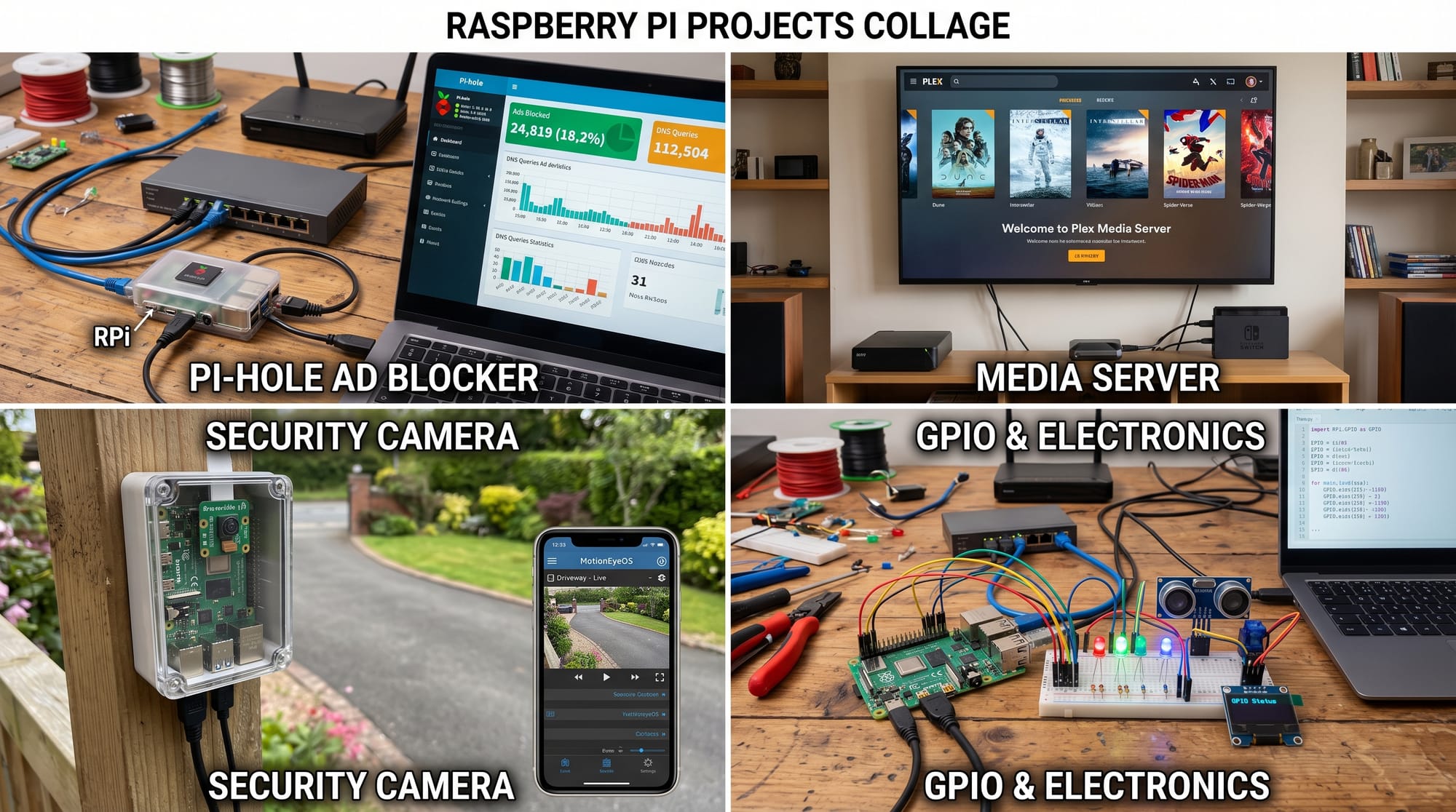
Raspberry Pi Projects: Home Server & Automation Guide 2026 is a beginner-friendly roadmap for students who want to learn how a small, affordable computer can power real-world systems like home servers, smart automation, media centers, and IoT devices.
A Raspberry Pi is a credit-card-sized computer that can run Linux, connect to sensors, host websites, control devices, and even manage your home network. In 2026, it is one of the most popular tools for learning IoT (Internet of Things) and practical programming.
For Pakistani students in cities like Lahore, Karachi, and Islamabad, learning Raspberry Pi opens doors to freelancing, internships, and tech careers in automation, cloud computing, and embedded systems.
Whether you want to build a raspberry pi home server, automate your room lights, or host your own website without paying expensive hosting fees, this guide will walk you step-by-step.
Prerequisites
Before starting Raspberry Pi projects, students should have a basic understanding of:
- Basic computer usage (Windows/Linux navigation)
- Basic Python programming (variables, loops, functions)
- Internet connection for downloading tools
- Basic networking concepts (IP address, Wi-Fi, router)
- Interest in hands-on hardware learning
Recommended Tools
- Raspberry Pi 4 or Raspberry Pi 5
- 16GB+ microSD card
- Power adapter (5V/3A recommended)
- HDMI cable and monitor (optional)
- Keyboard and mouse
- Raspberry Pi OS installed
Students like Ali from Karachi or Fatima from Islamabad can easily start with a starter kit costing around PKR 18,000–35,000 depending on setup.
Core Concepts & Explanation
Raspberry Pi Home Server Concept
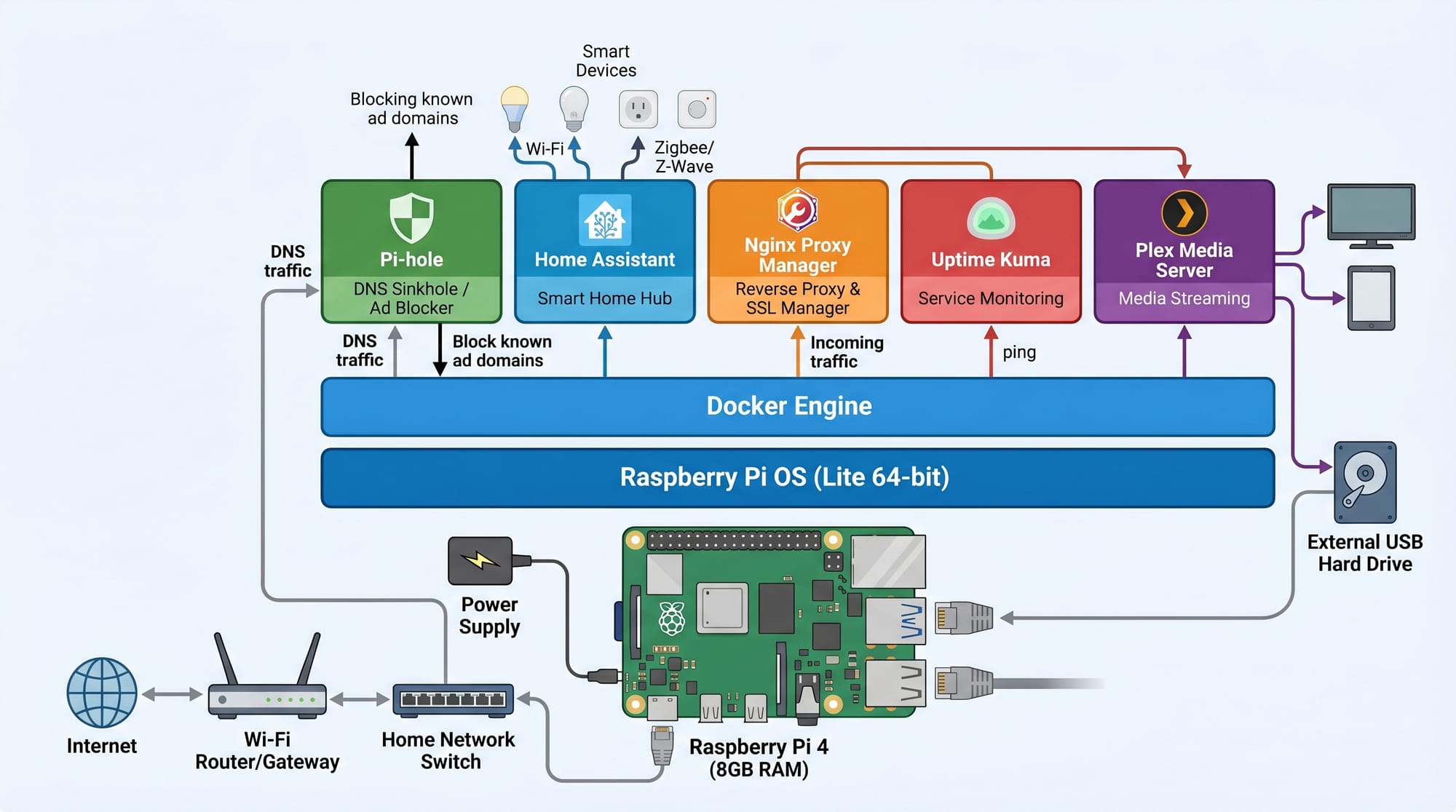
A Raspberry Pi home server is a mini computer that runs 24/7 in your home to provide services like:
- File storage (like Google Drive at home)
- Media streaming (movies, music)
- Website hosting
- Game server hosting
- Automation control center
For example, Ahmad in Lahore can store his university notes on a Pi server and access them from his mobile anywhere in the house.
Pi Automation (Smart Control Systems)
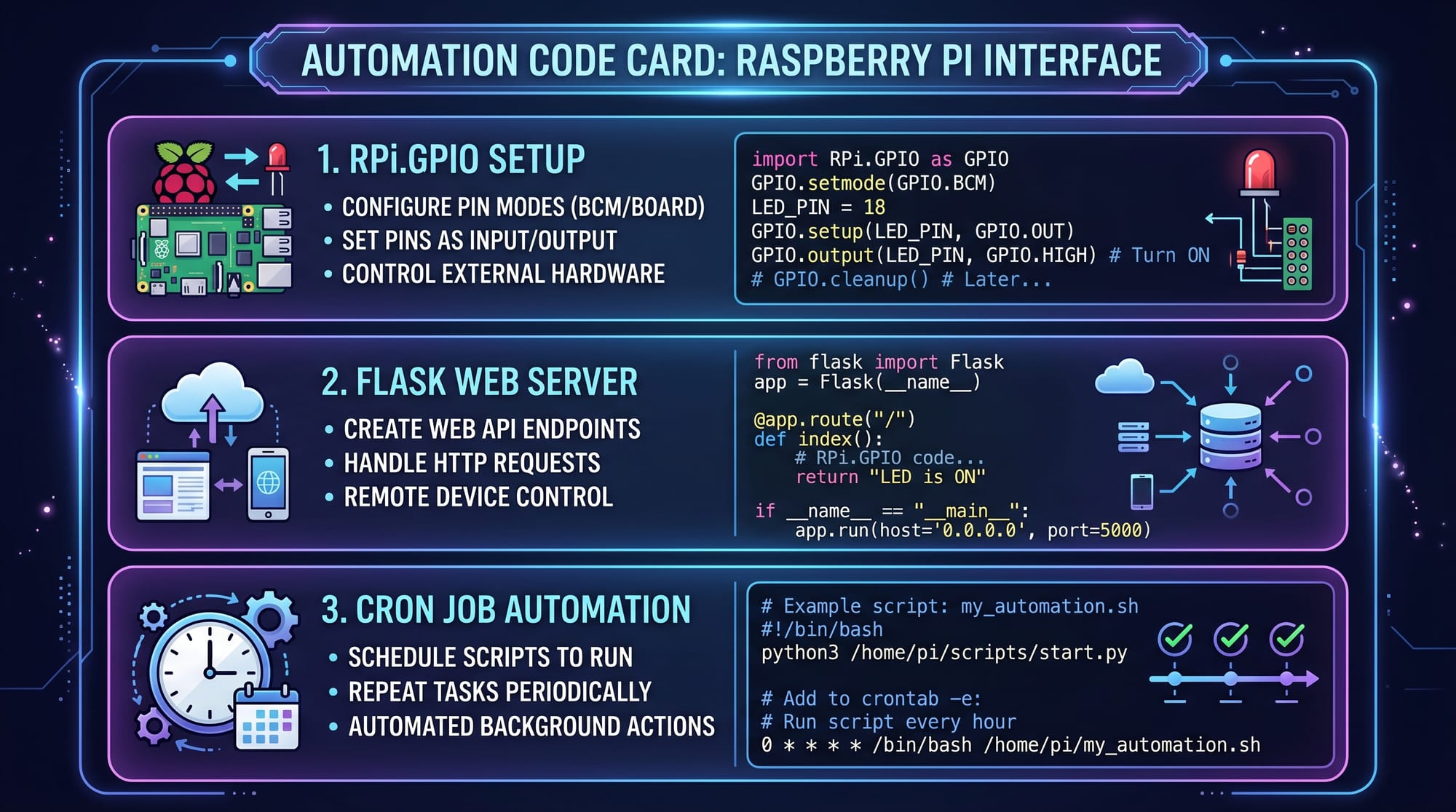
Pi automation means using Raspberry Pi to automatically control devices based on conditions or schedules.
Examples:
- Turn lights ON at sunset
- Start water pump at 6 AM
- Send alerts when motion is detected
- Control fan based on temperature
This uses:
- Python scripts
- Sensors (motion, temperature)
- GPIO pins (hardware interface)
- Scheduling tools like cron
Practical Code Examples
Example 1: Simple GPIO LED Control
import RPi.GPIO as GPIO
import time

# Set GPIO mode
GPIO.setmode(GPIO.BCM)

# Set pin 18 as output
GPIO.setup(18, GPIO.OUT)

# Turn LED ON
GPIO.output(18, GPIO.HIGH)
time.sleep(2)

# Turn LED OFF
GPIO.output(18, GPIO.LOW)

# Cleanup GPIO settings
GPIO.cleanup()
Line-by-Line Explanation
import RPi.GPIO as GPIO→ Imports Raspberry Pi GPIO libraryimport time→ Adds delay functionalityGPIO.setmode(GPIO.BCM)→ Uses BCM pin numbering systemGPIO.setup(18, GPIO.OUT)→ Sets pin 18 as outputGPIO.output(18, GPIO.HIGH)→ Turns LED ONtime.sleep(2)→ Waits for 2 secondsGPIO.output(18, GPIO.LOW)→ Turns LED OFFGPIO.cleanup()→ Resets GPIO pins safely
Example 2: Real-World Home Server (Flask Web Control Panel)
from flask import Flask

app = Flask(__name__)

@app.route('/')
def home():
    return "Raspberry Pi Home Server is Running!"

@app.route('/light/on')
def light_on():
    return "Light Turned ON"

@app.route('/light/off')
def light_off():
    return "Light Turned OFF"

if __name__ == "__main__":
    app.run(host='0.0.0.0', port=5000)
Line-by-Line Explanation
from flask import Flask→ Imports Flask web frameworkapp = Flask(__name__)→ Creates web application@app.route('/')→ Defines homepage routedef home()→ Function for homepage response/light/on→ Simulates turning light ON/light/off→ Simulates turning light OFFapp.run(...)→ Starts server accessible on network
This allows students like Fatima in Islamabad to control home devices from mobile browser.
Common Mistakes & How to Avoid Them
Mistake 1: Wrong GPIO Pin Selection
Many beginners connect LEDs or sensors to incorrect GPIO pins.
Problem:
- Circuit does not work
- Code runs but hardware fails
Solution:
- Always check Raspberry Pi GPIO pinout diagram
- Use BCM numbering in code
- Double-check wiring before powering ON
Mistake 2: Not Updating Raspberry Pi OS
Old software causes library errors and security issues.
Problem:
- Python modules fail
- Wi-Fi or GPIO libraries break
Solution:
Run these commands:
sudo apt update
sudo apt upgrade
Explanation
apt update→ Refreshes package listapt upgrade→ Installs latest updates
Practice Exercises
Exercise 1: Blink LED Pattern
Task: Make an LED blink 5 times using Raspberry Pi GPIO.
Solution:
import RPi.GPIO as GPIO
import time

GPIO.setmode(GPIO.BCM)
GPIO.setup(18, GPIO.OUT)

for i in range(5):
    GPIO.output(18, GPIO.HIGH)
    time.sleep(1)
    GPIO.output(18, GPIO.LOW)
    time.sleep(1)

GPIO.cleanup()
Explanation:
- Loop runs 5 times
- LED ON for 1 second
- LED OFF for 1 second
- GPIO cleanup at end prevents errors
Exercise 2: Simple Motion Alert System
Task: Simulate a motion detection alert system.
Solution:
motion_detected = True

if motion_detected:
    print("Alert: Motion detected at home!")
else:
    print("No movement detected.")
Explanation:
motion_detectedsimulates sensor inputifcondition checks status- Prints alert message when triggered
Frequently Asked Questions
What is a Raspberry Pi used for in home automation?
A Raspberry Pi is used to control smart devices like lights, fans, sensors, and security systems. It runs scripts that automate tasks without human input.
Can I use Raspberry Pi as a home server?
Yes, you can turn Raspberry Pi into a raspberry pi home server for file storage, website hosting, media streaming, and backups at very low cost.
Do I need internet for Raspberry Pi projects?
Not always. Many raspberry pi projects like GPIO control and sensor automation work offline. Internet is only needed for updates or remote access.
Is Raspberry Pi good for beginners in Pakistan?
Yes, it is very beginner-friendly and affordable. Students in Pakistan can start learning IoT, Python, and automation with minimal investment.
What programming language is best for Raspberry Pi automation?
Python is the best language because it is simple, widely supported, and has strong libraries for hardware control and automation.
Summary & Key Takeaways
- Raspberry Pi is a low-cost mini computer for learning IoT and automation
- You can build a raspberry pi home server for hosting services at home
- Pi automation helps control real-world devices like lights and fans
- Python + GPIO is the core of Raspberry Pi programming
- Real-world projects improve freelancing and job opportunities
- Students in Pakistan can start with very small budgets
Next Steps & Related Tutorials
To continue your learning journey, explore these tutorials on theiqra.edu.pk:
- Learn Python basics in our [Python for Beginners Guide]
- Master hardware control in [MicroPython Tutorial for IoT Devices]
- Build software systems in [Linux Basics for Developers]
- Explore embedded systems with [Introduction to Raspberry Pi GPIO Programming]
If you want, I can also create a complete Raspberry Pi home server setup guide (step-by-step installation + Docker + Pi-hole + NAS system) for your next tutorial.
Test Your Python Knowledge!
Finished reading? Take a quick quiz to see how much you've learned from this tutorial.