Rust Web Development with Axum & Tokio
Introduction
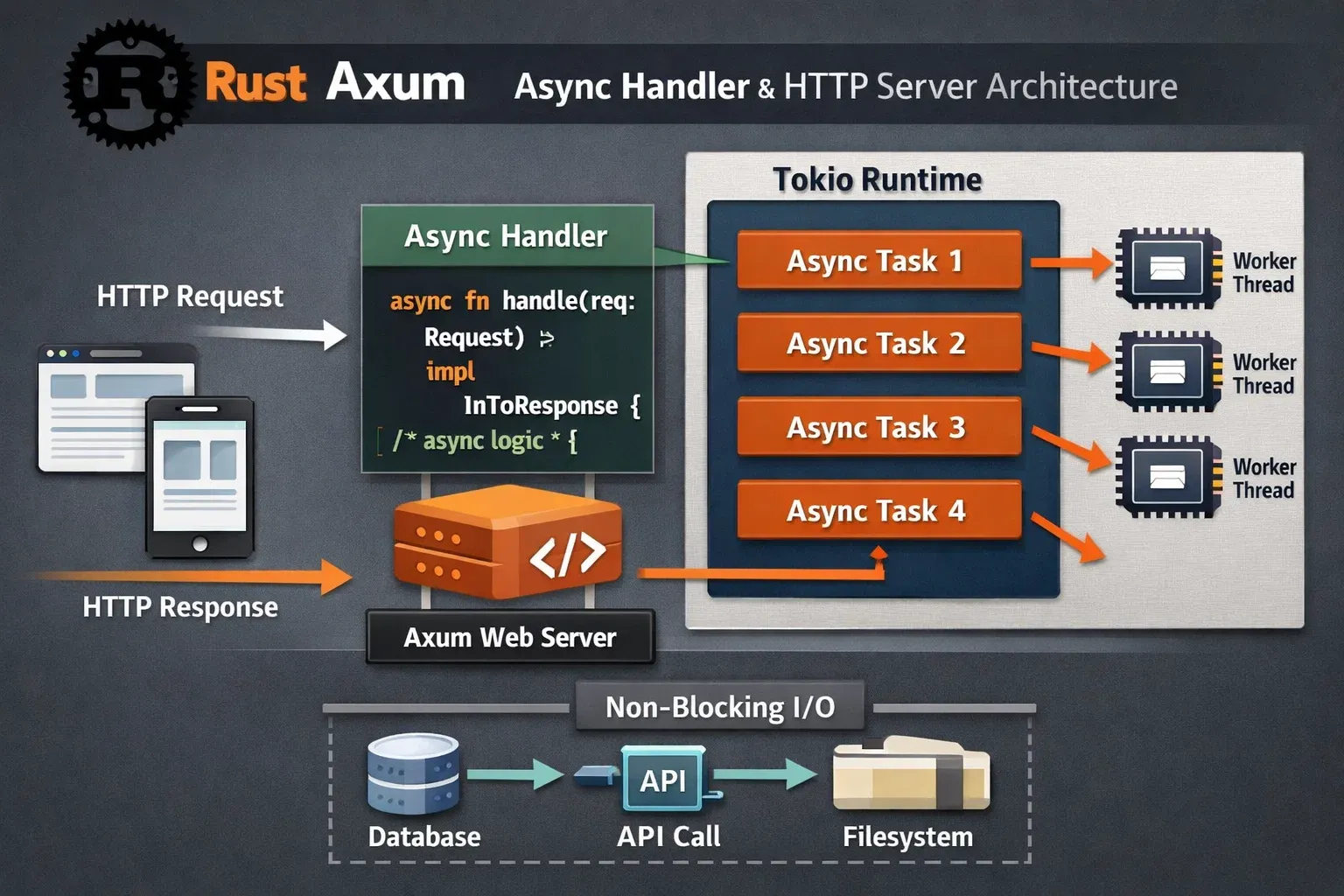
Rust web development with Axum & Tokio is a modern approach to building fast, safe, and scalable web applications using the Rust programming language. Rust has become increasingly popular because it offers memory safety, excellent performance, and strong concurrency support without requiring a garbage collector.
Two important technologies power modern Rust web servers:
- Axum – a web framework built for ergonomic routing, extractors, and HTTP services.
- Tokio – Rust’s asynchronous runtime that manages tasks, networking, and concurrency.
Together, they enable developers to build high-performance asynchronous web APIs that can handle thousands of requests efficiently.
For Pakistani students in cities like Lahore, Karachi, and Islamabad, learning Rust web development can open doors to:
- International remote Rust jobs
- High-performance backend development
- Building scalable APIs and microservices
- Systems programming and cloud-native applications
Companies worldwide are increasingly adopting Rust for backend services due to its speed comparable to C++ but with far better safety guarantees.
In this tutorial, you will learn:
- How Axum handles HTTP requests
- How Tokio powers asynchronous execution
- How to build real-world Rust APIs
- Best practices and common mistakes
By the end, you’ll be able to build a production-ready Rust async web server.
Prerequisites
Before starting Rust web development with Axum and Tokio, you should understand the following topics:
1. Rust Fundamentals
You should know:
- Variables and data types
- Ownership and borrowing
- Functions and modules
- Error handling (
Result,Option)
If you are new to ownership concepts, you should first read the Rust Ownership tutorial on theiqra.edu.pk.
2. Basic Command Line Knowledge
You should know how to run commands like:
cargo new project_name
cargo run
cargo build
3. Basic HTTP Knowledge
Understanding these concepts will help:
- HTTP methods (GET, POST, PUT, DELETE)
- JSON APIs
- Client-server architecture
4. Rust Package Manager (Cargo)
You should know how to add dependencies:
cargo add axum
cargo add tokio
Core Concepts & Explanation
Axum Router and Request Handling
Axum organizes web applications using a Router. A router maps URLs to handler functions.
Example concept:
GET /hello → hello_handler()
In Axum, a handler is usually an async function.
Example:
async fn hello() -> &'static str {
    "Hello from Rust!"
}
This function returns a static string which Axum converts into an HTTP response.
Let’s see a minimal Axum router.
use axum::{
    routing::get,
    Router,
};

async fn hello() -> &'static str {
    "Hello from Rust!"
}

#[tokio::main]
async fn main() {
    let app = Router::new()
        .route("/hello", get(hello));

    axum::Server::bind(&"127.0.0.1:3000".parse().unwrap())
        .serve(app.into_make_service())
        .await
        .unwrap();
}
Explanation line-by-line:
use axum::{routing::get, Router};
Imports Axum routing tools.
async fn hello() -> &'static str
Defines an async handler function returning a string.
#[tokio::main]
Creates a Tokio async runtime automatically.
let app = Router::new()
Creates a new Axum router.
.route("/hello", get(hello));
Maps GET requests on /hello to the hello handler.
axum::Server::bind(...)
Starts the HTTP server.
.serve(app.into_make_service())
Converts the router into a service that can handle requests.
Tokio Async Runtime & Task Execution
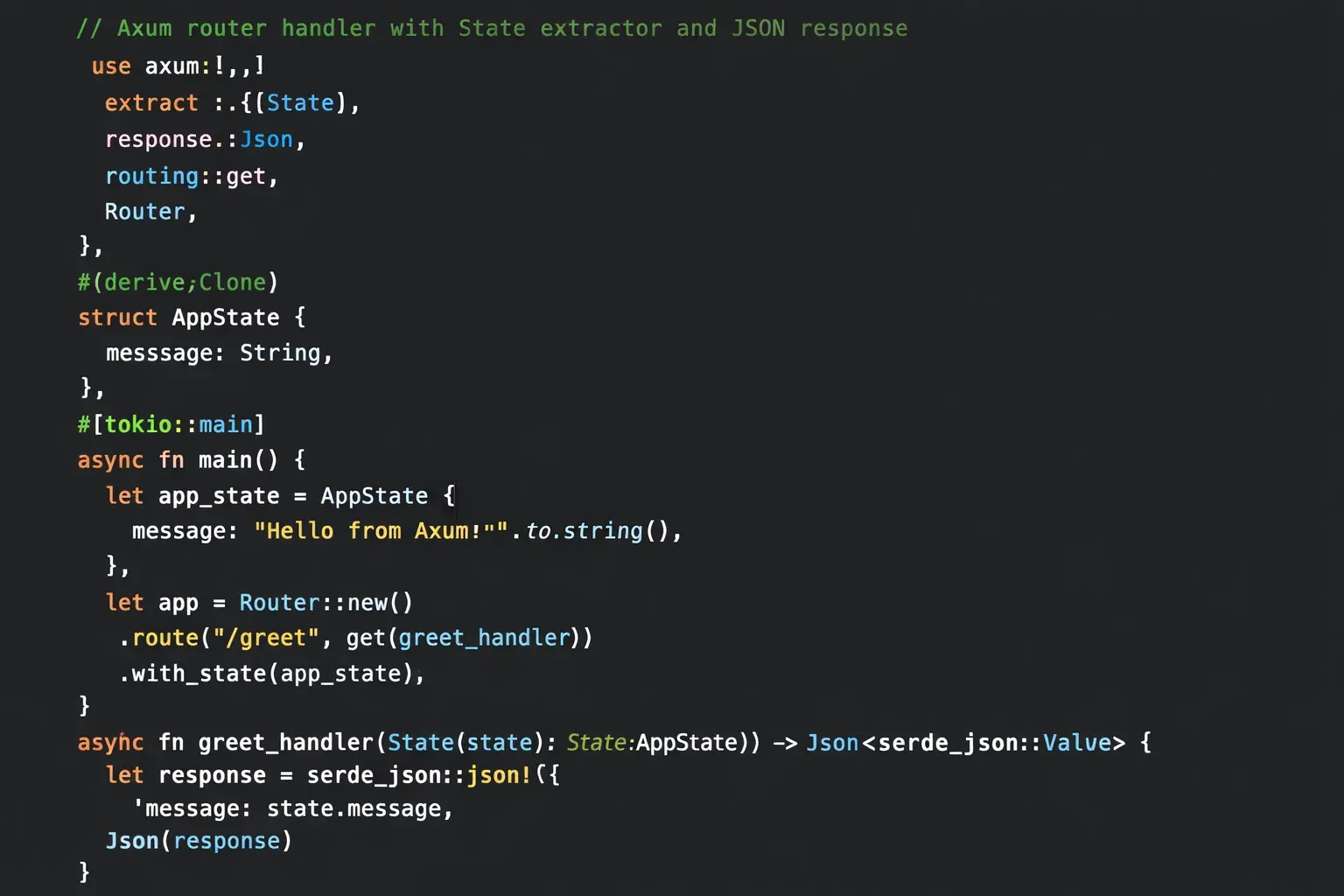
Tokio is the engine behind Rust async applications.
It manages:
- async tasks
- networking
- timers
- concurrency
Without Tokio, async Rust code cannot run.
Example async task:
use tokio::time::{sleep, Duration};

#[tokio::main]
async fn main() {

    println!("Starting task");

    sleep(Duration::from_secs(2)).await;

    println!("Task finished");
}
Line-by-line explanation:
use tokio::time::{sleep, Duration};
Imports Tokio’s async sleep function.
#[tokio::main]
Starts the Tokio runtime.
println!("Starting task");
Prints a message before waiting.
sleep(Duration::from_secs(2)).await;
Async sleep pauses execution without blocking other tasks.
println!("Task finished");
Printed after the delay.
Tokio allows thousands of tasks to run efficiently on a small number of threads.
Practical Code Examples
Example 1: Building a Simple Rust API
Let’s build a basic API endpoint returning JSON.
Example: Ahmad creates a student API for a Lahore college.
use axum::{
    routing::get,
    Json,
    Router,
};
use serde::Serialize;

#[derive(Serialize)]
struct Student {
    name: String,
    city: String,
}

async fn get_student() -> Json<Student> {

    let student = Student {
        name: "Ahmad".to_string(),
        city: "Lahore".to_string(),
    };

    Json(student)
}

#[tokio::main]
async fn main() {

    let app = Router::new()
        .route("/student", get(get_student));

    axum::Server::bind(&"127.0.0.1:3000".parse().unwrap())
        .serve(app.into_make_service())
        .await
        .unwrap();
}
Line-by-line explanation:
use axum::{routing::get, Json, Router};
Imports routing and JSON response utilities.
use serde::Serialize;
Allows converting structs into JSON.
#[derive(Serialize)]
Enables JSON serialization.
struct Student
Defines a student data structure.
async fn get_student() -> Json<Student>
Handler returning JSON data.
let student = Student {...}
Creates a student object.
Json(student)
Converts the struct into JSON response.
.route("/student", get(get_student))
Maps /student endpoint to the handler.
Result when visiting:
http://localhost:3000/student
Response:
{
  "name": "Ahmad",
  "city": "Lahore"
}
Example 2: Real-World Application
Let’s simulate a simple product API for a Karachi online store.
use axum::{
    routing::get,
    Json,
    Router,
};
use serde::Serialize;

#[derive(Serialize)]
struct Product {
    name: String,
    price: u32,
}

async fn product_list() -> Json<Vec<Product>> {

    let products = vec![
        Product {
            name: "Laptop".to_string(),
            price: 120000,
        },
        Product {
            name: "Keyboard".to_string(),
            price: 5000,
        }
    ];

    Json(products)
}

#[tokio::main]
async fn main() {

    let app = Router::new()
        .route("/products", get(product_list));

    axum::Server::bind(&"127.0.0.1:3000".parse().unwrap())
        .serve(app.into_make_service())
        .await
        .unwrap();
}
Line-by-line explanation:
struct Product
Defines product information.
price: u32
Stores price in PKR.
async fn product_list()
Async function returning multiple products.
Vec<Product>
A list of products.
Json(products)
Converts list into JSON response.
This structure is commonly used in e-commerce APIs and microservices.
Common Mistakes & How to Avoid Them
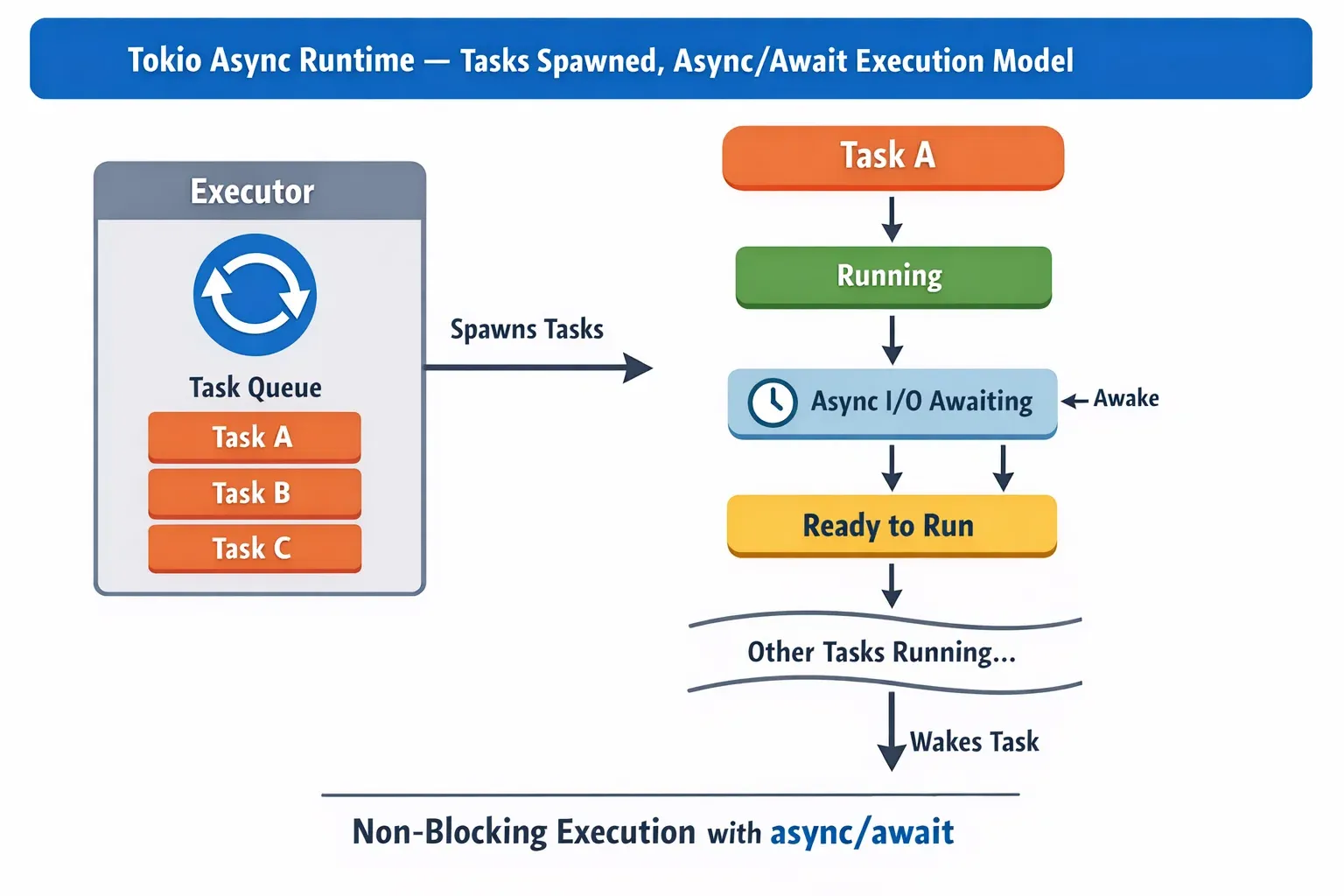
Mistake 1: Blocking Code Inside Async Handlers
Bad example:
std::thread::sleep(Duration::from_secs(5));
This blocks the thread, preventing other requests.
Correct approach:
tokio::time::sleep(Duration::from_secs(5)).await;
Why?
- Non-blocking
- Allows thousands of concurrent requests
Mistake 2: Forgetting await in Async Functions
Incorrect:
sleep(Duration::from_secs(2));
Correct:
sleep(Duration::from_secs(2)).await;
Without .await, the future never executes.
Always remember:
async function → must await futures
Practice Exercises
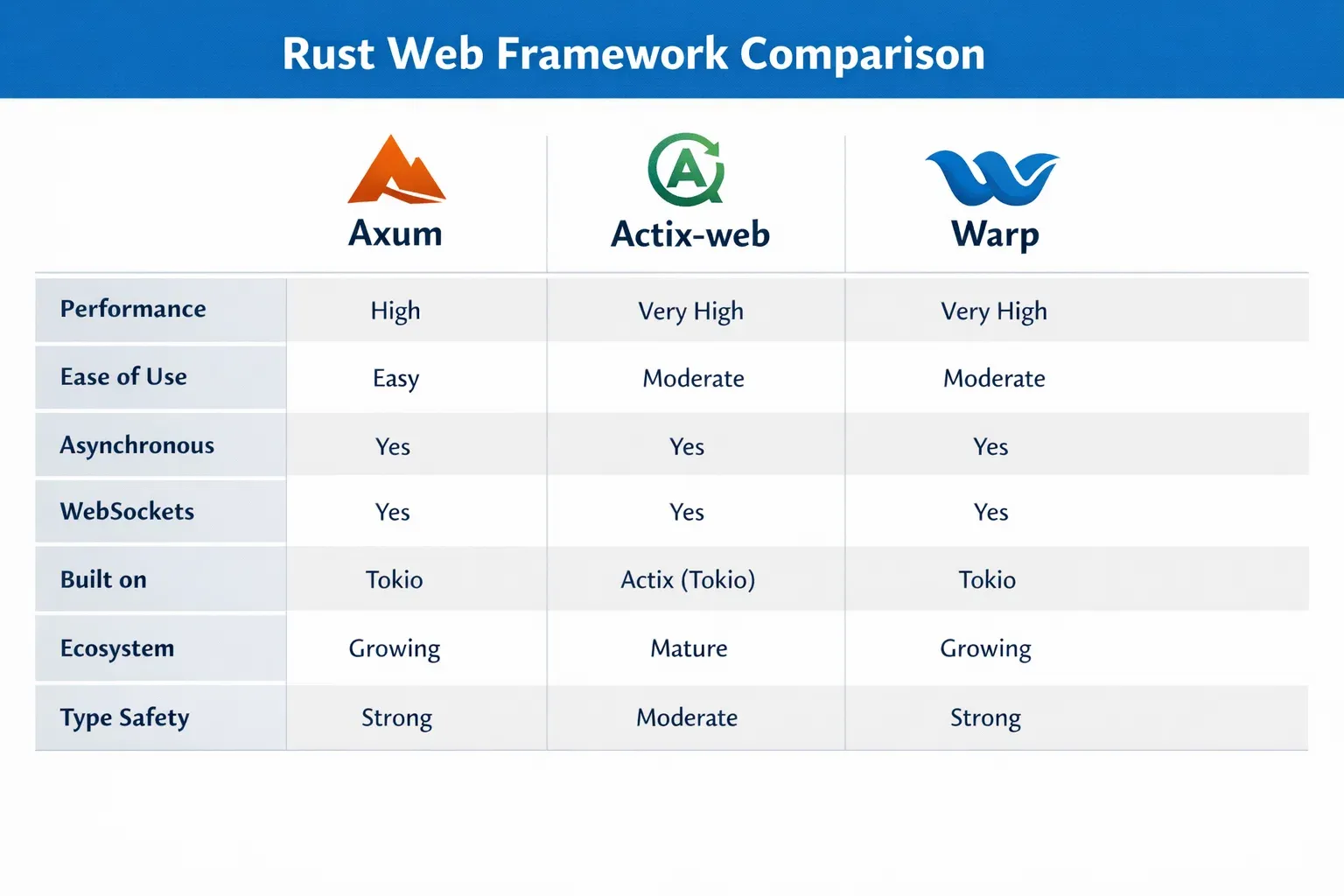
Exercise 1: Create a Greeting API
Problem
Create an endpoint:
GET /greet
Response:
{
  "message": "Hello from Islamabad"
}
Solution
use axum::{routing::get, Json, Router};
use serde::Serialize;

#[derive(Serialize)]
struct Greeting {
    message: String,
}

async fn greet() -> Json<Greeting> {

    let response = Greeting {
        message: "Hello from Islamabad".to_string(),
    };

    Json(response)
}

#[tokio::main]
async fn main() {

    let app = Router::new()
        .route("/greet", get(greet));

    axum::Server::bind(&"127.0.0.1:3000".parse().unwrap())
        .serve(app.into_make_service())
        .await
        .unwrap();
}
Explanation highlights:
- Struct converted to JSON
- Async handler
- Router mapping endpoint
Exercise 2: Create a User List API
Problem
Create endpoint:
GET /users
Return users Ali and Fatima.
Solution
use axum::{routing::get, Json, Router};
use serde::Serialize;

#[derive(Serialize)]
struct User {
    name: String,
}

async fn users() -> Json<Vec<User>> {

    let list = vec![
        User { name: "Ali".to_string() },
        User { name: "Fatima".to_string() },
    ];

    Json(list)
}

#[tokio::main]
async fn main() {

    let app = Router::new()
        .route("/users", get(users));

    axum::Server::bind(&"127.0.0.1:3000".parse().unwrap())
        .serve(app.into_make_service())
        .await
        .unwrap();
}
Frequently Asked Questions
What is Rust Axum used for?
Axum is a modern Rust web framework used to build APIs, microservices, and web applications. It focuses on type safety, performance, and easy integration with Tokio async runtime.
How do I install Axum in Rust?
You can install Axum using Cargo:
cargo add axum
cargo add tokio --features full
These dependencies allow you to create async HTTP servers in Rust.
Is Rust web development faster than Node.js?
Rust web frameworks like Axum often provide much higher performance and lower memory usage than Node.js because Rust compiles to native machine code and avoids garbage collection.
Do I need Tokio to run Axum?
Yes. Axum relies on Tokio for asynchronous execution, networking, and task scheduling. Without Tokio, async handlers cannot run.
Is Rust good for backend development?
Yes. Rust is excellent for backend systems due to its memory safety, high performance, and strong concurrency support. Many companies use Rust for high-performance APIs and cloud services.
Summary & Key Takeaways
- Rust enables high-performance, memory-safe backend systems.
- Axum is a modern web framework designed for Rust async development.
- Tokio provides the async runtime powering concurrency.
- Axum routers map URLs to async handler functions.
- JSON APIs can be built easily using
serde. - Rust async systems scale efficiently with thousands of requests.
Next Steps & Related Tutorials
To continue learning Rust and backend development, explore these tutorials on theiqra.edu.pk:
- Rust Ownership & Borrowing Explained for Beginners – master Rust’s core memory safety concept.
- Rust Async Programming with Futures and Await – deeper understanding of asynchronous Rust.
- Go Web Development with Gin Framework – compare Rust with Go web development.
- Building REST APIs in Rust – advanced API design patterns.
You can also explore the Go Web Development tutorial series to understand how Rust compares with Go in building scalable web services.
If you'd like, I can also create:
- SEO meta title + description
- Schema FAQ markup
- Feature image prompts
- 10-question quiz JSON (for your LMS)
for this article.
Test Your Python Knowledge!
Finished reading? Take a quick quiz to see how much you've learned from this tutorial.