Screen Reader Testing How to Test with NVDA & VoiceOver
Introduction
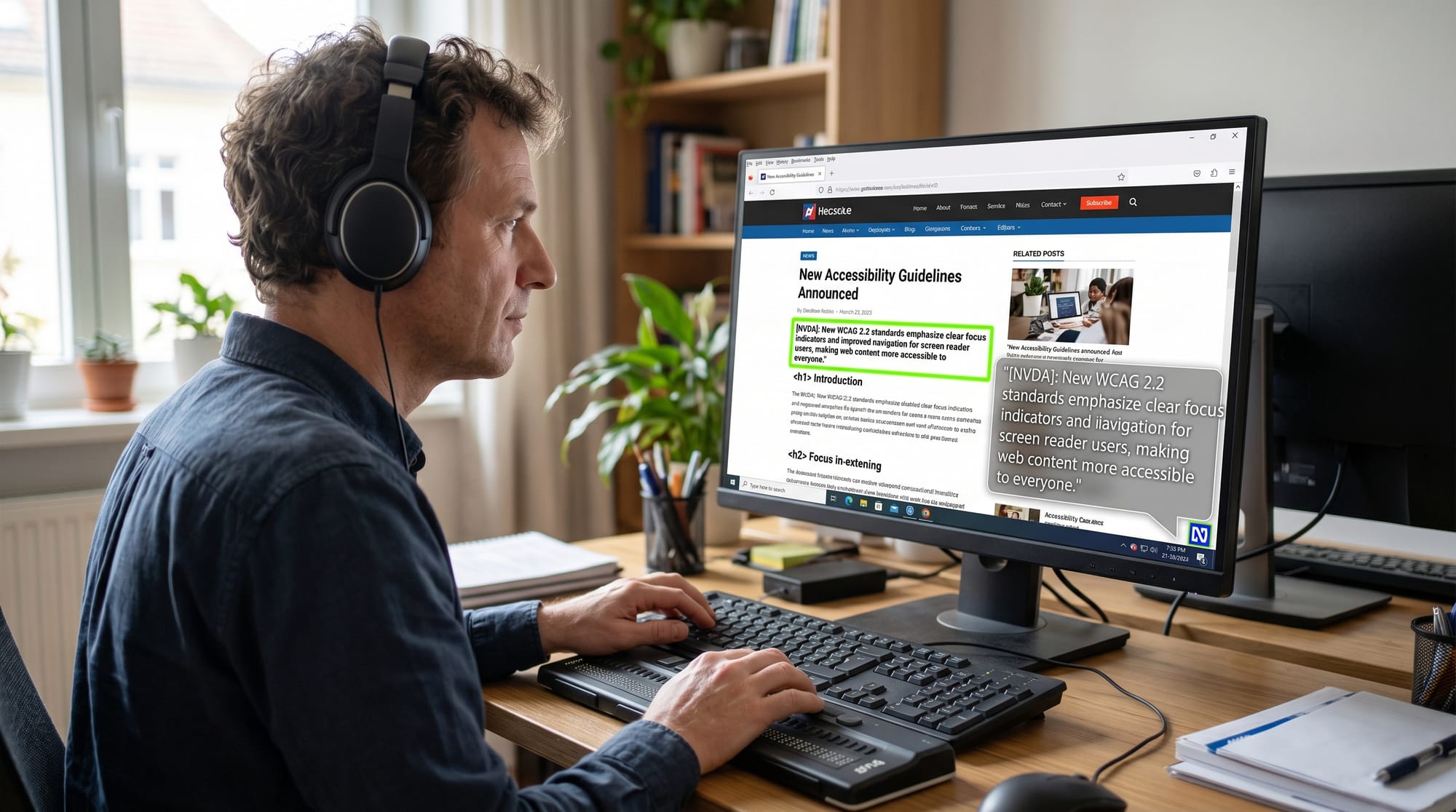
Screen reader testing: how to test with NVDA & VoiceOver is an essential skill in modern web development, especially for students learning accessibility in Pakistan. A screen reader is a tool used by visually impaired users to navigate websites using spoken feedback. Two of the most widely used screen readers are NVDA (NonVisual Desktop Access) on Windows and VoiceOver on macOS and iOS.
For Pakistani students learning web development from cities like Lahore, Karachi, and Islamabad, understanding screen reader testing is extremely important because it ensures that websites can be used by everyone, including users with disabilities. Many government portals, e-commerce websites, and educational platforms in Pakistan still lack proper accessibility. By learning this skill, you can become a more professional and job-ready developer.
Prerequisites
Before learning screen reader testing, students should have a basic understanding of:
- HTML structure (headings, paragraphs, links, forms)
- Basic CSS styling
- JavaScript fundamentals (optional but helpful)
- Understanding of web accessibility concepts
- Familiarity with browsers like Chrome or Safari
If you are new, you may first explore our guide on Web Accessibility basics on theiqra.edu.pk before continuing.
Core Concepts & Explanation
What is a Screen Reader?
A screen reader is assistive software that reads out website content aloud. It converts text, buttons, and other UI elements into speech or Braille output. NVDA and VoiceOver are the most commonly used tools in accessibility testing.
Example:
- A button labeled “Submit Form” will be read as “Submit Form button”
- A missing label might be read as “button” only, which confuses users
Why Screen Reader Testing Matters
Screen reader testing ensures that:
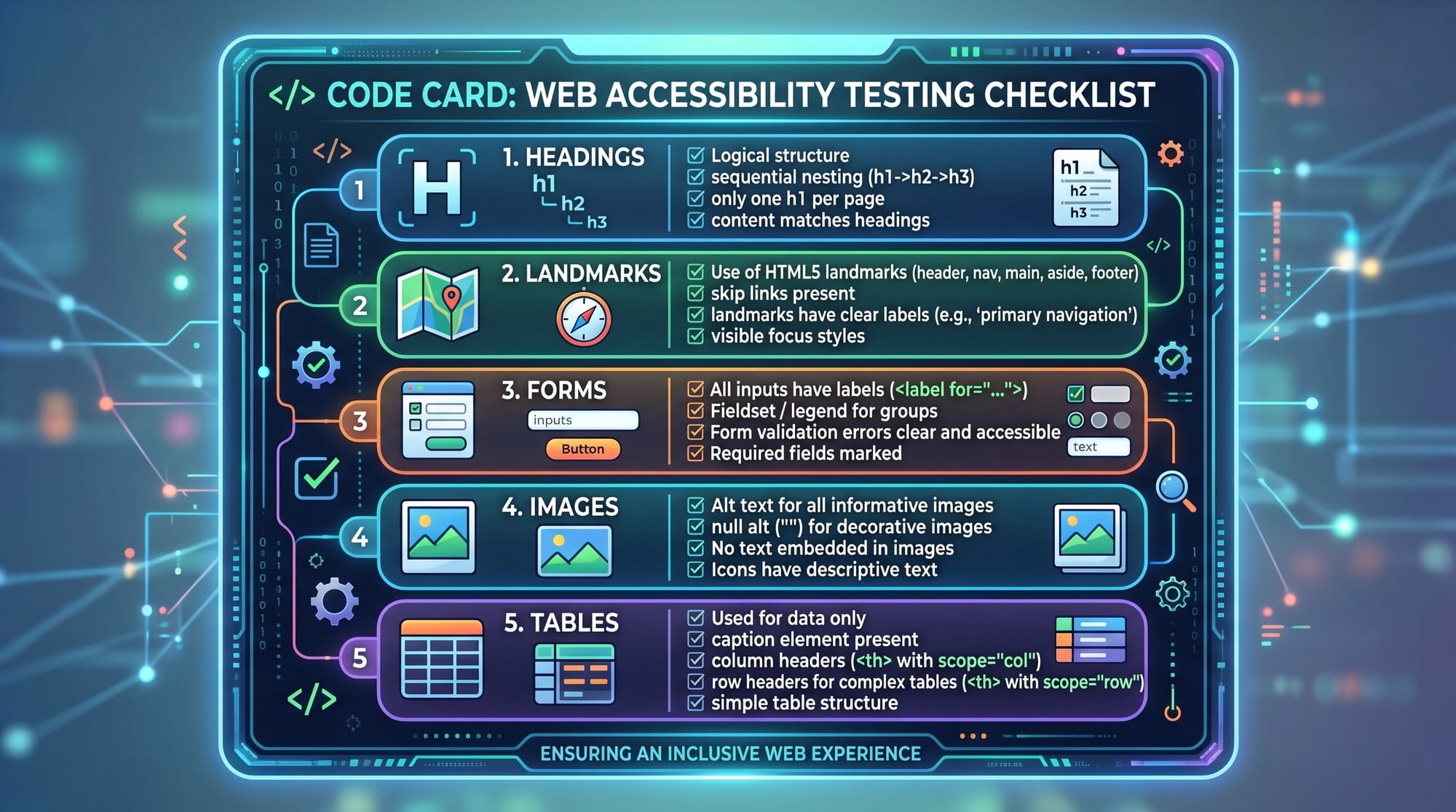
- All content is readable without visual cues
- Navigation is logical using keyboard shortcuts
- Forms are properly labeled
- Images have meaningful alt text
In Pakistan, this is especially important for educational websites like LMS systems used in universities such as Punjab University or NUST.
Practical Code Examples
Example 1: Properly Structured HTML for Screen Readers
<!-- Main page heading -->
<h1>Online Admission Form - Islamabad College</h1>

<!-- Line explaining the form -->
<p>Please fill in your details carefully.</p>

<!-- Name label -->
<label for="name">Full Name</label>
<input type="text" id="name" name="name">
Explanation:
<h1>→ Main heading announced first by screen readers<p>→ Provides readable instruction<label>→ Connects text with input fieldfor="name"→ Links label to input for accessibilityinput→ Text field users can interact with
Example 2: Real-World Application (Accessible Login Form)
<!-- Login section heading -->
<h2>Student Login Portal</h2>

<!-- Username field -->
<label for="username">Username</label>
<input type="text" id="username" aria-required="true">

<!-- Password field -->
<label for="password">Password</label>
<input type="password" id="password" aria-required="true">

<!-- Submit button -->
<button type="submit">Login</button>
Explanation:
<h2>→ Helps screen reader users navigate sectionsaria-required="true"→ Announces required fields<label>→ Ensures inputs are properly described<button>→ Clearly identified as clickable element
This type of form is commonly used in Pakistani student portals for fee submission or LMS login systems.
Core Testing Workflow (NVDA & VoiceOver)
To perform proper nvda tutorial testing:
NVDA Testing Steps (Windows)
- Install NVDA from official website
- Open your web page in Chrome
- Use
Insert + Spaceto toggle browse mode - Use arrow keys to navigate content
- Listen for proper announcements
Example:
- Heading should say: “Heading level 1”
- Button should say: “Login button”
VoiceOver Testing Steps (Mac/iPhone)
- Enable VoiceOver using
Cmd + F5(Mac) - Swipe left/right to navigate elements
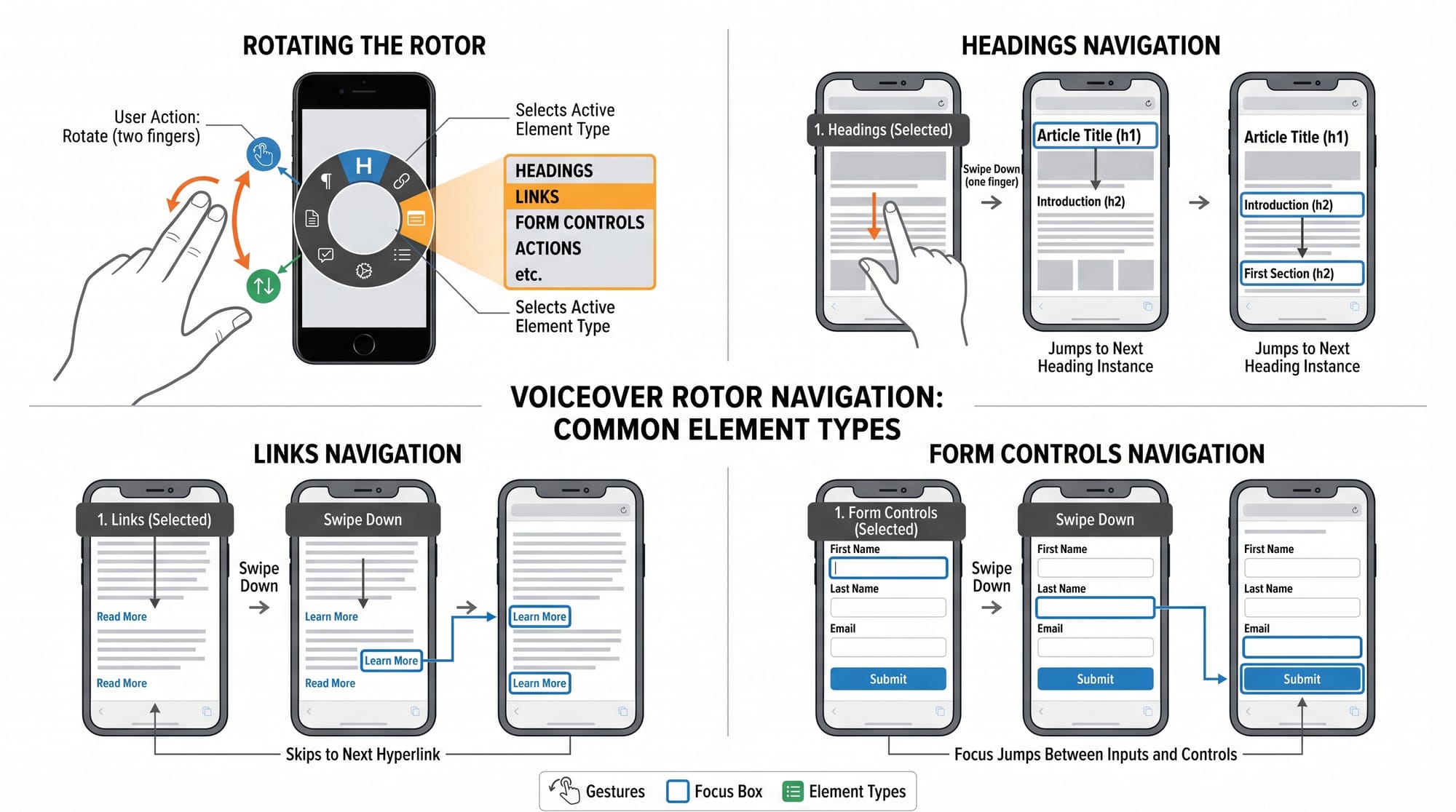
- Use rotor gesture (two-finger rotate) to jump by headings
- Tap to activate elements
Example:
- A form field should announce: “Name, text field, required”
Common Mistakes & How to Avoid Them
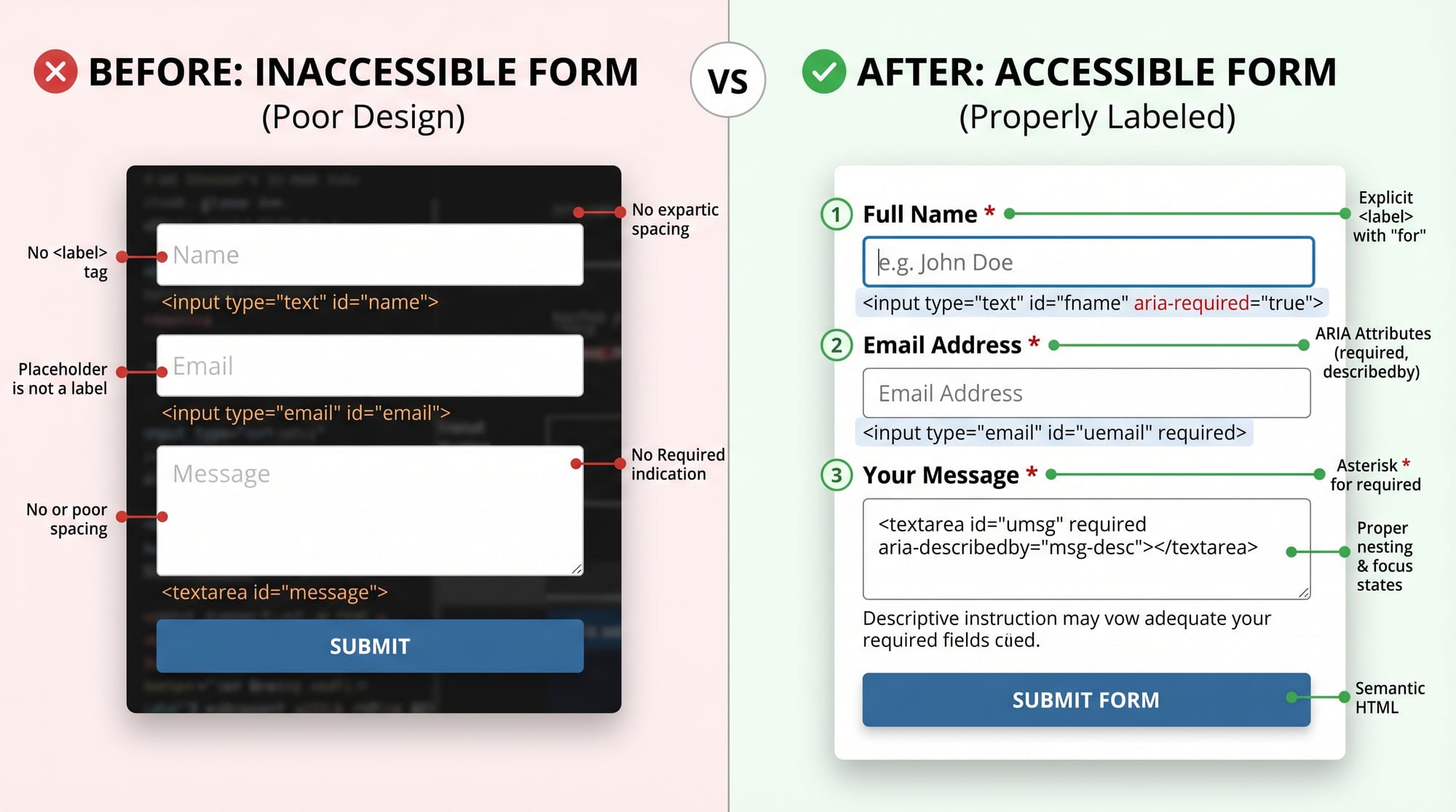
Mistake 1: Missing Labels on Form Fields
❌ Wrong:
<input type="text" placeholder="Enter name">
Problem:
- Screen readers only read “edit text”
- User does not know purpose of field
✔ Fix:
<label for="name">Full Name</label>
<input type="text" id="name">
Explanation:
- Label gives meaning to input
- Improves accessibility and usability
Mistake 2: Improper Heading Structure
❌ Wrong:
<div class="title">Welcome</div>
Problem:
- Screen reader cannot identify structure
- Navigation becomes confusing
✔ Fix:
<h1>Welcome to Lahore University Portal</h1>
Explanation:
- Headings create document outline
- NVDA and VoiceOver use them for navigation
Practice Exercises
Exercise 1: Fix the Form
Problem:
You are given this code:
<input type="email" placeholder="Email Address">
<button>Send</button>
Task:
Make it accessible for screen readers.
Solution:
<label for="email">Email Address</label>
<input type="email" id="email">
<button type="submit">Send</button>
Exercise 2: Improve Navigation Structure
Problem:
A webpage has multiple <div> headings instead of real headings.
Solution:
Replace them with proper HTML structure:
<h1>Karachi Online Courses</h1>
<h2>Programming Section</h2>
<h2>Design Section</h2>
Frequently Asked Questions
What is screen reader testing?
Screen reader testing is the process of checking how a website works with assistive tools like NVDA and VoiceOver. It ensures that visually impaired users can navigate and understand the content easily.
What is NVDA and why is it used?
NVDA is a free screen reader for Windows that reads website content aloud. It is widely used for accessibility testing in development environments.
How do I perform VoiceOver testing on iPhone?
Enable VoiceOver in accessibility settings and use swipe gestures to navigate elements like buttons, links, and forms.
Why is accessibility important in Pakistan?
Many users in Pakistan rely on mobile devices and assistive technologies. Accessibility ensures equal access to education, banking, and government services.
Can I test accessibility without tools?
Yes, but tools like NVDA and VoiceOver give accurate real-world feedback that manual inspection cannot fully provide.
Summary & Key Takeaways
- Screen reader testing ensures websites are accessible to visually impaired users
- NVDA is the most popular screen reader for Windows
- VoiceOver is built into Apple devices
- Proper HTML structure is essential for accessibility
- Labels, headings, and ARIA roles improve usability
- Testing should be part of every web development workflow
Next Steps & Related Tutorials
To improve your skills further, explore these tutorials on theiqra.edu.pk:
- Learn about Web Accessibility fundamentals for building inclusive websites
- Understand ARIA Roles and Attributes for advanced screen reader support
- Practice building forms in HTML Forms and Validation Guide
- Explore Responsive Web Design techniques for mobile-friendly accessibility
If you want, I can also convert this into a downloadable PDF lesson or add a hands-on accessibility testing project for students in Pakistan.
Test Your Python Knowledge!
Finished reading? Take a quick quiz to see how much you've learned from this tutorial.