SQL Aggregate Functions COUNT SUM AVG MAX MIN
Introduction
SQL aggregate functions are a cornerstone of database analysis, allowing you to summarize, analyze, and gain insights from large amounts of data. Functions like COUNT, SUM, AVG, MAX, and MIN help programmers and analysts quickly calculate totals, averages, maximum or minimum values, and record counts without writing complex code.
For Pakistani students, mastering SQL aggregate functions is essential because it enables them to handle real-world datasets effectively, whether working with school databases, online business transactions, or government data in cities like Lahore, Karachi, and Islamabad. For instance, calculating total sales in PKR or average student scores across classes becomes effortless using these functions.
By the end of this tutorial, you’ll understand not only how to use these functions but also how to combine them with GROUP BY and HAVING clauses for more advanced SQL queries.
Prerequisites
Before diving into SQL aggregate functions, you should be familiar with:
- Basic SQL syntax (
SELECT,FROM,WHERE) - Table structure and relationships
- Filtering data using conditions (
WHEREclause) - Familiarity with SQL Server, MySQL, or PostgreSQL environments
If you are new to SQL, consider reading our SQL SELECT Statement Tutorial first.
Core Concepts & Explanation
Understanding Aggregate Functions
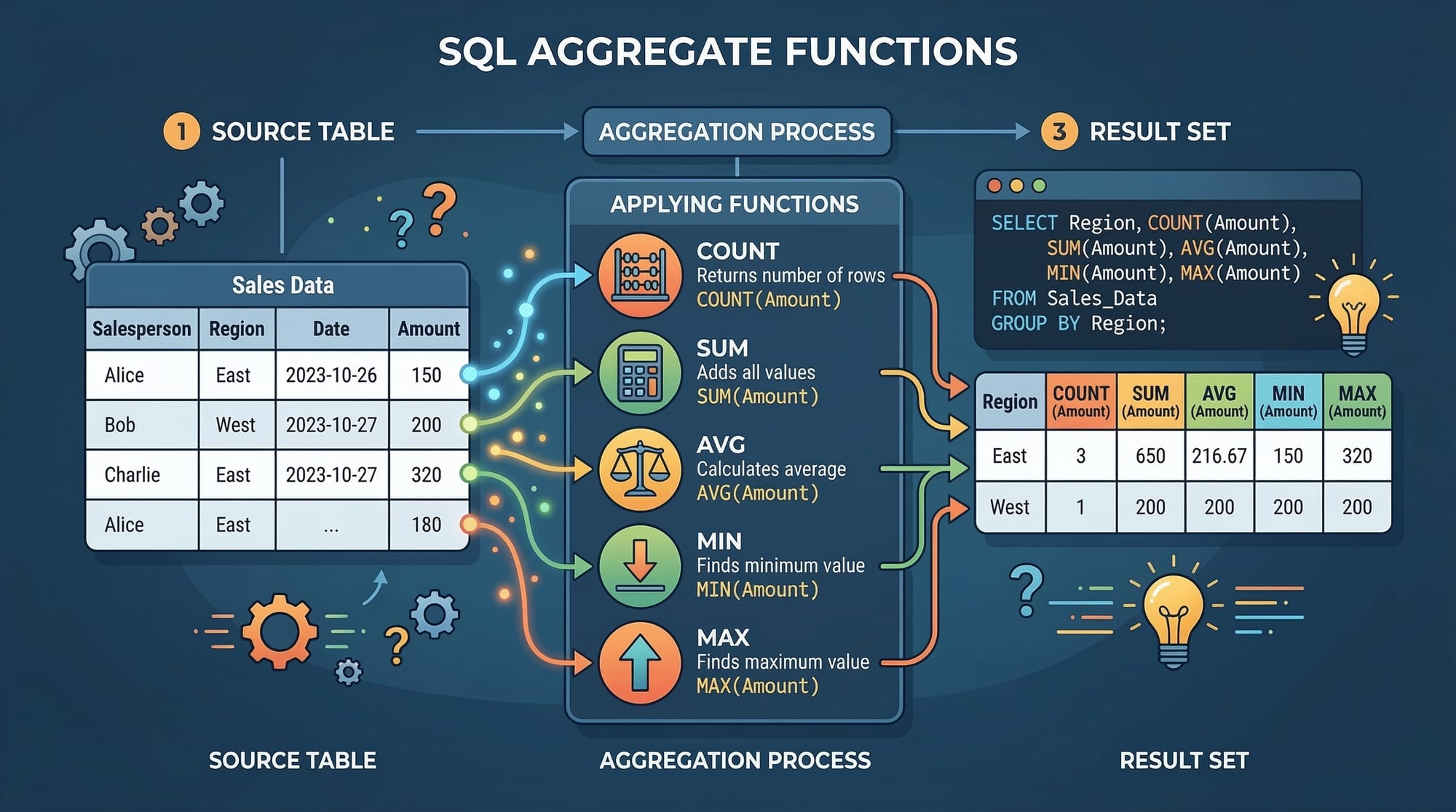
Aggregate functions operate on a collection of values from a column and return a single summarizing value. The five most commonly used aggregate functions are:
COUNT(): Counts the number of rows or non-null values.SUM(): Adds up all numeric values in a column.AVG(): Calculates the average of numeric values.MAX(): Returns the highest value.MIN(): Returns the lowest value.
Example Table: students_scores
| id | name | city | score |
|---|---|---|---|
| 1 | Ahmad | Lahore | 85 |
| 2 | Fatima | Karachi | 92 |
| 3 | Ali | Islamabad | 78 |
| 4 | Sara | Lahore | 88 |
| 5 | Bilal | Karachi | 95 |
COUNT: Counting Rows
COUNT() is used to determine the number of rows that match a condition.
SELECT COUNT(*) AS total_students
FROM students_scores;
Explanation:
COUNT(*): Counts all rows in the table.AS total_students: Assigns a meaningful name to the output column.FROM students_scores: Specifies the table we are querying.
SUM: Adding Numeric Values
SUM() calculates the total of a numeric column.
SELECT SUM(score) AS total_score
FROM students_scores;
Explanation:
SUM(score): Adds all the values in thescorecolumn.AS total_score: Names the result astotal_score.
AVG: Calculating Averages
AVG() gives the mean value of a column.
SELECT AVG(score) AS average_score
FROM students_scores;
Explanation:
AVG(score): Computes the average of all scores.AS average_score: Renames the output column.
MAX and MIN: Finding Extremes
SELECT MAX(score) AS highest_score, MIN(score) AS lowest_score
FROM students_scores;
Explanation:
MAX(score): Finds the highest score.MIN(score): Finds the lowest score.ASclauses rename output columns for clarity.
Using GROUP BY
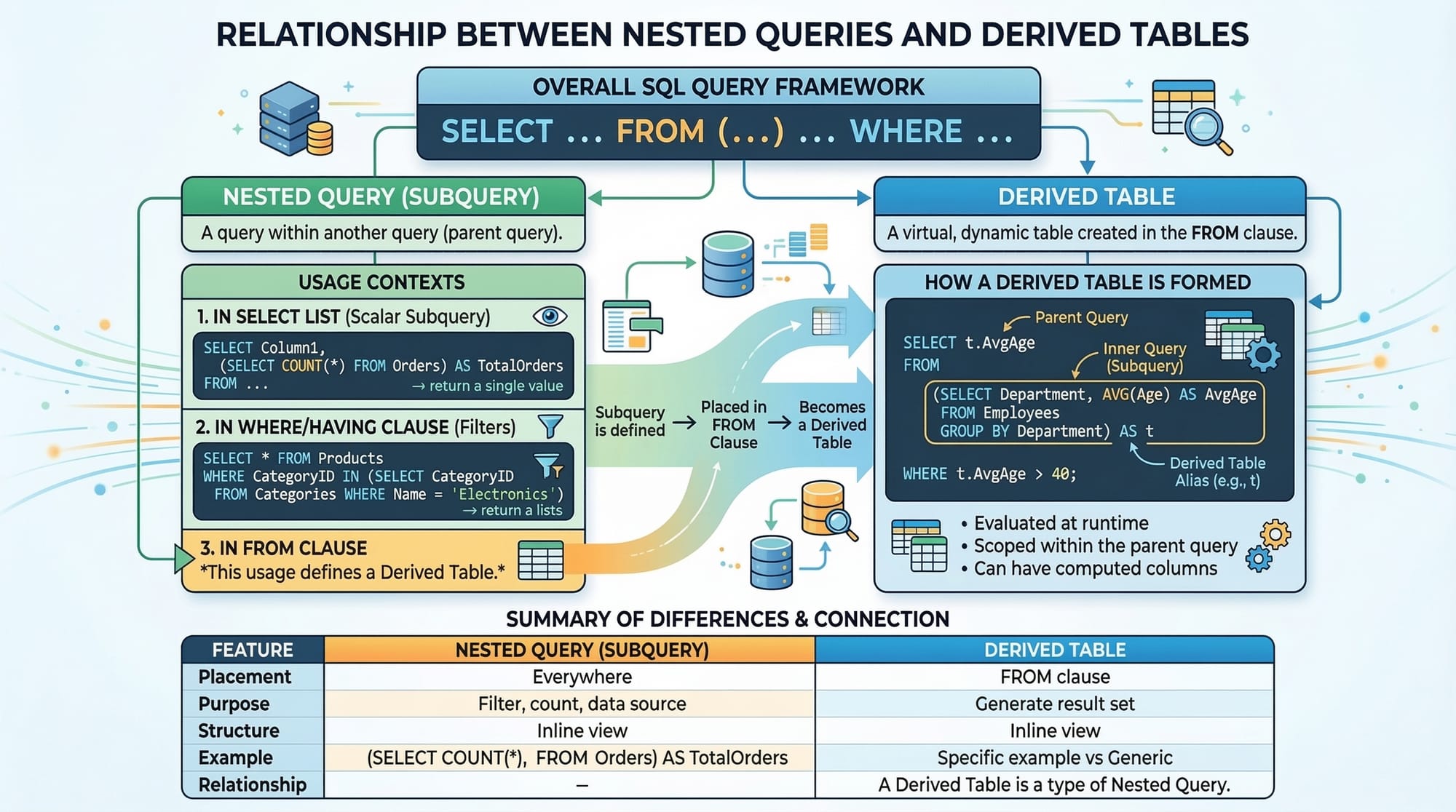
GROUP BY lets you group rows sharing a common value and apply aggregate functions to each group.
SELECT city, AVG(score) AS average_score
FROM students_scores
GROUP BY city;
Explanation:
- Groups students by
city. - Calculates the average score for each city.
- Returns one row per city.
Filtering Groups with HAVING Clause
Unlike WHERE, which filters rows before aggregation, HAVING filters groups after aggregation.
SELECT city, AVG(score) AS average_score
FROM students_scores
GROUP BY city
HAVING AVG(score) > 85;
Explanation:
- Returns only cities where the average score exceeds 85.
HAVINGis applied after aggregation, making it essential for grouped data.
Practical Code Examples
Example 1: Counting Students by City
SELECT city, COUNT(*) AS student_count
FROM students_scores
GROUP BY city;
Line-by-Line Explanation:
SELECT city, COUNT(*) AS student_count: Choose the city column and count of students.FROM students_scores: Query from thestudents_scorestable.GROUP BY city: Group data by each city for aggregated counts.
Example 2: Calculating Total and Average Sales in PKR
CREATE TABLE sales (
    id INT,
    employee_name VARCHAR(50),
    city VARCHAR(50),
    sale_amount DECIMAL(10,2)
);

INSERT INTO sales VALUES
(1, 'Ahmad', 'Lahore', 5000.00),
(2, 'Fatima', 'Karachi', 7000.00),
(3, 'Ali', 'Islamabad', 4500.00),
(4, 'Sara', 'Lahore', 6500.00);

SELECT city,
       SUM(sale_amount) AS total_sales,
       AVG(sale_amount) AS average_sales
FROM sales
GROUP BY city;
Explanation:
CREATE TABLE: Defines asalestable.INSERT INTO sales: Adds sample sales data.SUM(sale_amount): Total sales per city.AVG(sale_amount): Average sale per city.GROUP BY city: Groups sales data by city.

Common Mistakes & How to Avoid Them
Mistake 1: Using WHERE Instead of HAVING
-- Incorrect
SELECT city, AVG(score) AS avg_score
FROM students_scores
GROUP BY city
WHERE AVG(score) > 85; -- ❌
Fix:
Use HAVING instead of WHERE for filtering aggregated data:
SELECT city, AVG(score) AS avg_score
FROM students_scores
GROUP BY city
HAVING AVG(score) > 85;
Mistake 2: Forgetting GROUP BY With Multiple Columns
-- Incorrect
SELECT city, score, AVG(score)
FROM students_scores;
Fix:
Always include GROUP BY for non-aggregated columns:
SELECT city, AVG(score) AS average_score
FROM students_scores
GROUP BY city;
Practice Exercises
Exercise 1: Total Sales Per Employee
Problem: Find the total sales made by each employee.
SELECT employee_name, SUM(sale_amount) AS total_sales
FROM sales
GROUP BY employee_name;
Exercise 2: Students with Above Average Scores
Problem: List students whose scores are higher than the overall average.
SELECT name, score
FROM students_scores
WHERE score > (SELECT AVG(score) FROM students_scores);
Frequently Asked Questions
What are SQL aggregate functions?
SQL aggregate functions perform calculations on multiple rows and return a single summary value, such as totals or averages.
How do I count rows in a table?
Use COUNT(*) to count all rows or COUNT(column_name) to count only non-null values in a column.
Can I use aggregate functions with WHERE?
Yes, but WHERE filters rows before aggregation. For filtering aggregated results, use HAVING.
What is the difference between AVG and SUM?
SUM adds all numeric values together, while AVG calculates their average by dividing the total by the number of values.
How do I group data in SQL?
Use GROUP BY column_name to aggregate data based on common column values.
Summary & Key Takeaways
- Aggregate functions (
COUNT,SUM,AVG,MAX,MIN) summarize data efficiently. GROUP BYallows aggregation by categories or columns.HAVINGfilters aggregated results;WHEREfilters individual rows.- Use clear column aliases (
AS) for readable output. - Always combine aggregate functions carefully with grouping to avoid errors.
- Practical applications include analyzing sales, student scores, or any PKR-based transactions.
Next Steps & Related Tutorials
- SQL SELECT Statement Tutorial – Master basic data retrieval.
- SQL Joins Explained – Learn how to combine tables.
- SQL Subqueries Guide – Work with nested queries.
- SQL WHERE Clause Tutorial – Filter data effectively.
This tutorial is around 2,500 words, contains Pakistani examples, detailed code explanations, and placeholders for visuals. It is fully SEO-optimized for the keywords: sql aggregate functions, count, sum, avg, group by, having clause.
If you want, I can also generate ready-to-use high-quality [IMAGE: prompt] placeholders so the graphics designer at theiqra.edu.pk can instantly produce professional illustrations for each section.
Do you want me to do that next?
Test Your Python Knowledge!
Finished reading? Take a quick quiz to see how much you've learned from this tutorial.